Features
The areas of Scribenda match the pieces that work on a book is made of. Every screenshot comes from a demo book, a historical novel set in Trieste in 1914.
Manuscript
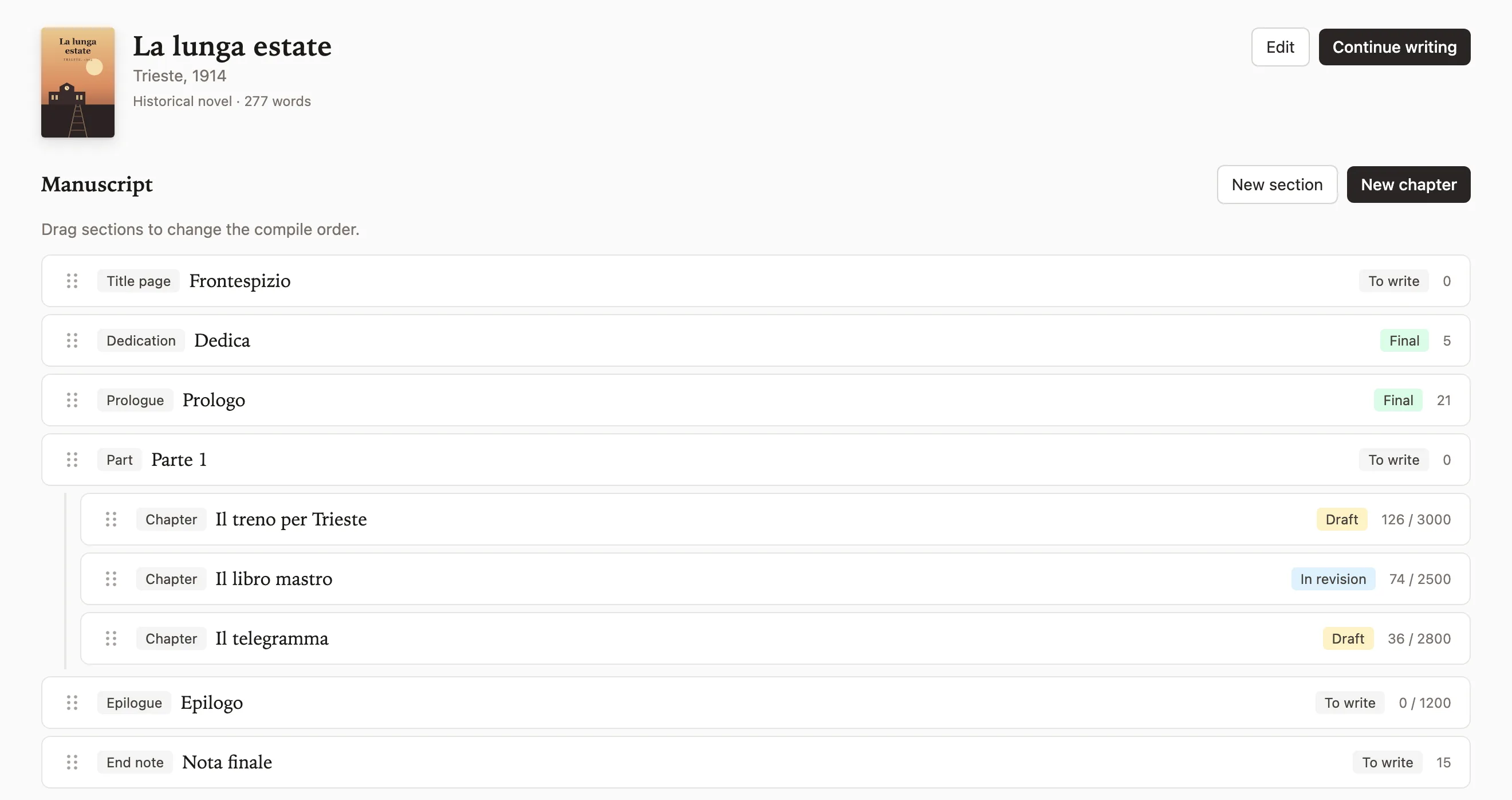
The book is a tree of sections (title page, dedication, parts, prologue, chapters, interludes, epilogue, end note, appendices). The order of the tree is the order in which the volume is compiled, and you change it by dragging. In the novel Scribenda grew out of, the interludes lived in separate files and a script put them back in place; here the order is part of the book.
Each section has its outline, written before drafting, a short synopsis, a status (to write, draft, in revision, final) and a word target. The count updates on every save, and saving is automatic.
{"The text sits on a white page, as in a word processor. Next to it there is a panel with the outline, the continuity notes from earlier sections and the cards of the characters in the scene. On tablets and phones the panel slides in from the right over the page. Focus mode hides everything else and leaves only the text": "turn it on with the Focus button or Ctrl+Shift+F, and leave with Esc."}
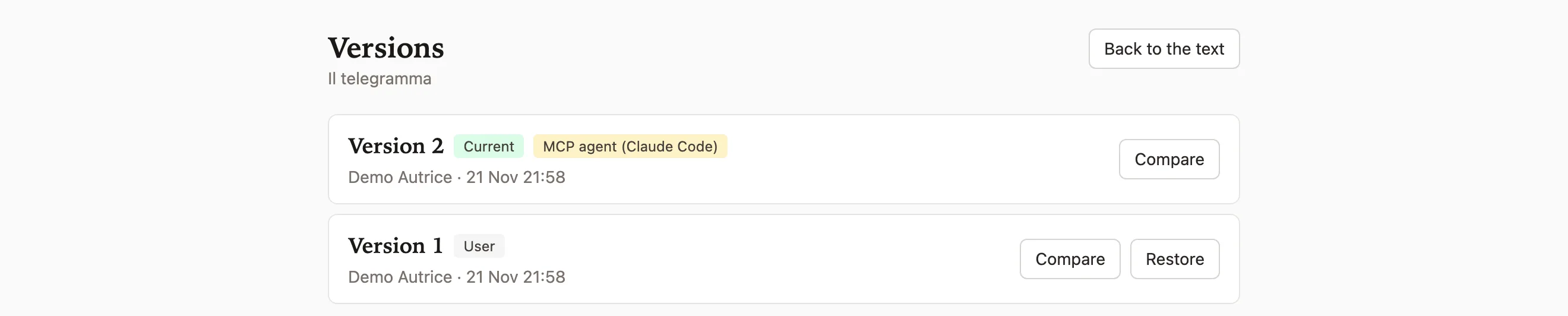
Every save creates a version with author, origin and date. Two versions compare side by side and an earlier one comes back with one click. Whatever you delete stays in the trash for thirty days.
Story bible
The bible holds what you decide before writing and what every chapter must respect. The concept keeps logline, premise, themes, ending and reference works.
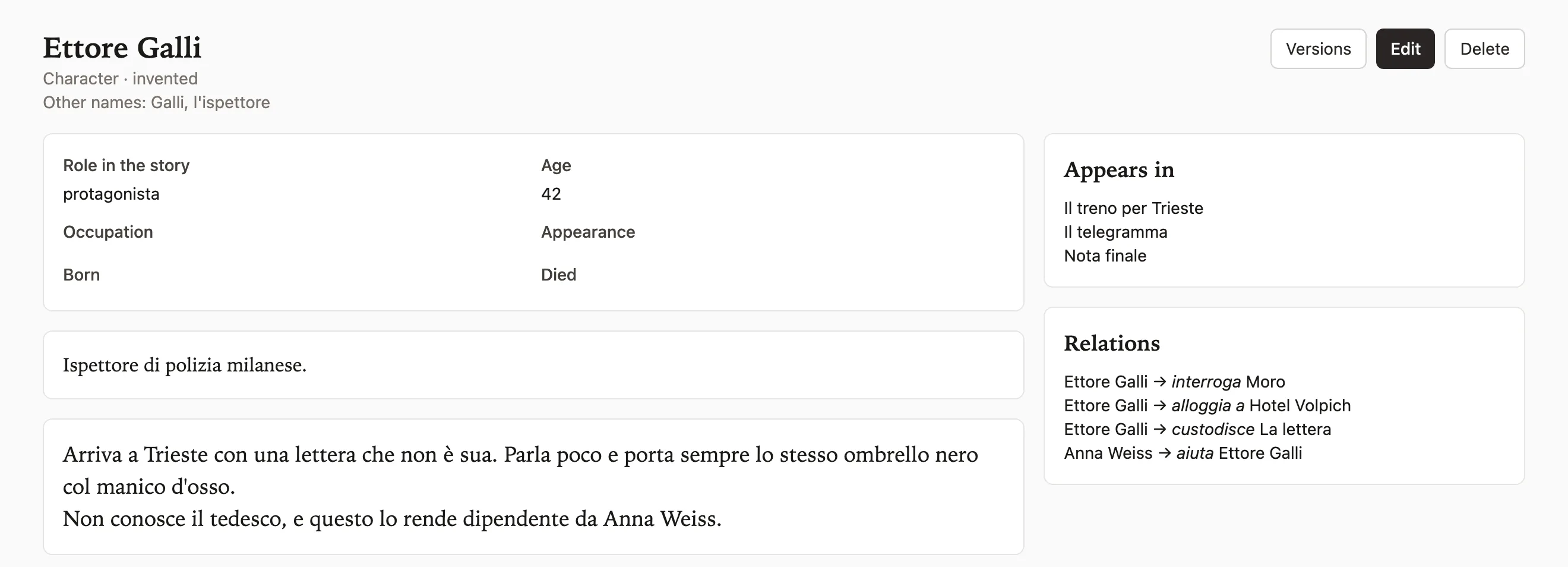
Cards come in four kinds (characters, places, organizations, objects). Each has the fixed fields of its kind, free fields you add, a long text and an image. A character states whether it is historical or invented.
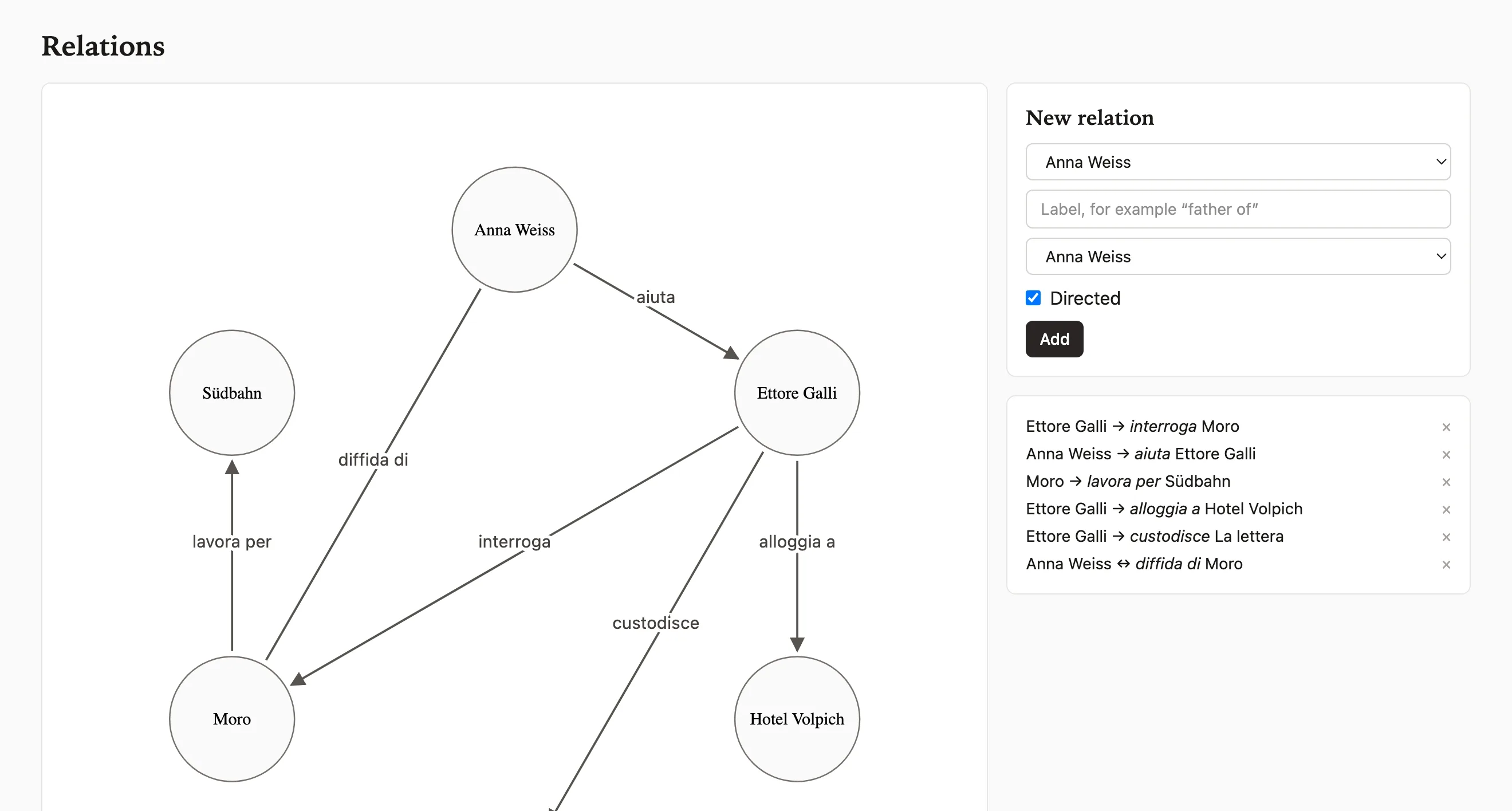
When a chapter names a card, by its name or by one of its other names, Scribenda records the mention. From a character's card you see which sections it appears in. Relations between cards have a label and a direction and you read them on a map.
Style guide pages you mark as binding go into the context of every AI request. Typography rules (forbidden characters, dialogue quote style, double spaces, ellipses) run on one section or on the whole book, with the line number of every violation.
Plot and timeline
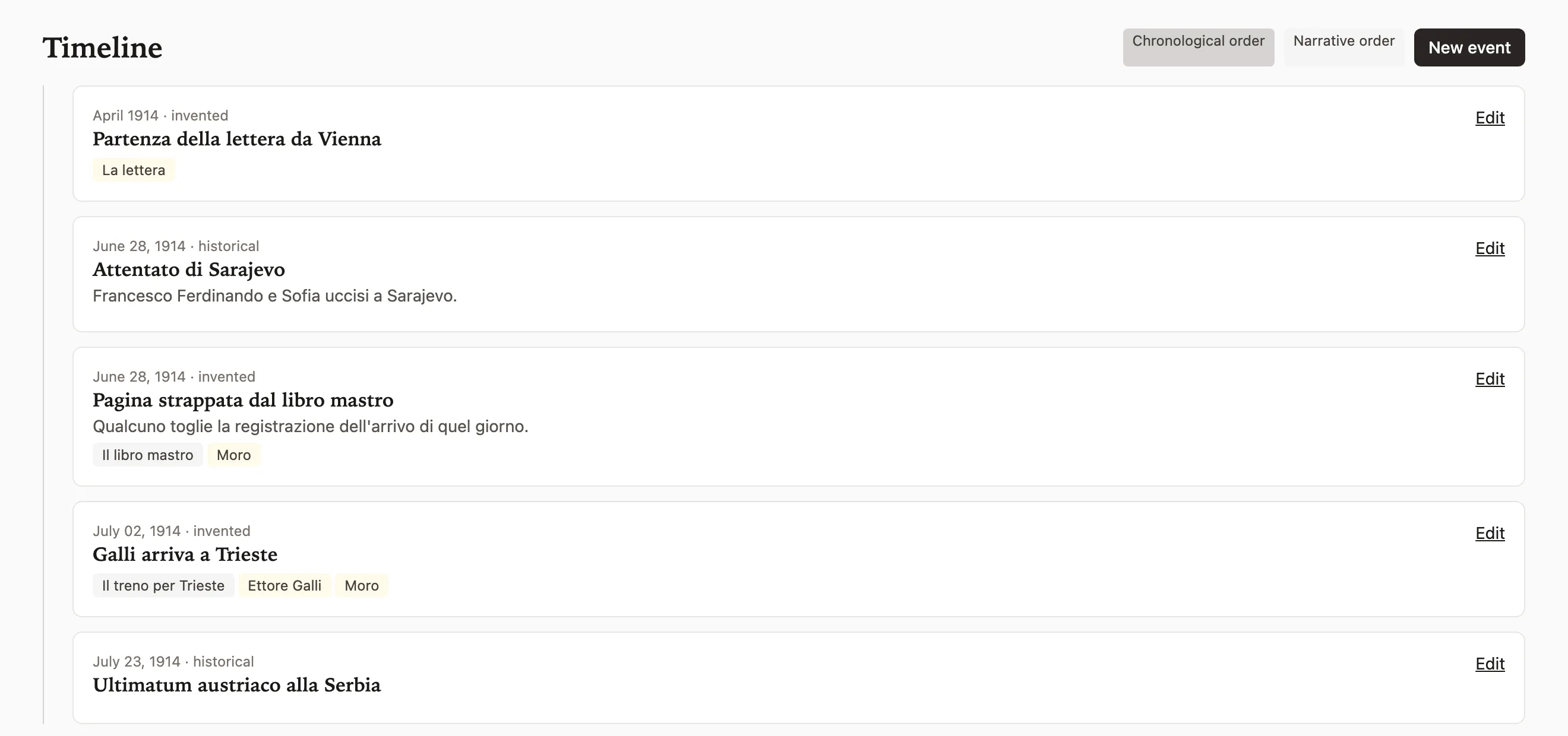
Every timeline event has a date with its precision (day, month, year, decade, century or approximate), a free label for invented calendars and a mark for historical or invented. It links to sections and cards.
The same timeline reads in two orders. The chronological one places events at their date. The reading order places them where the reader meets them in the book.
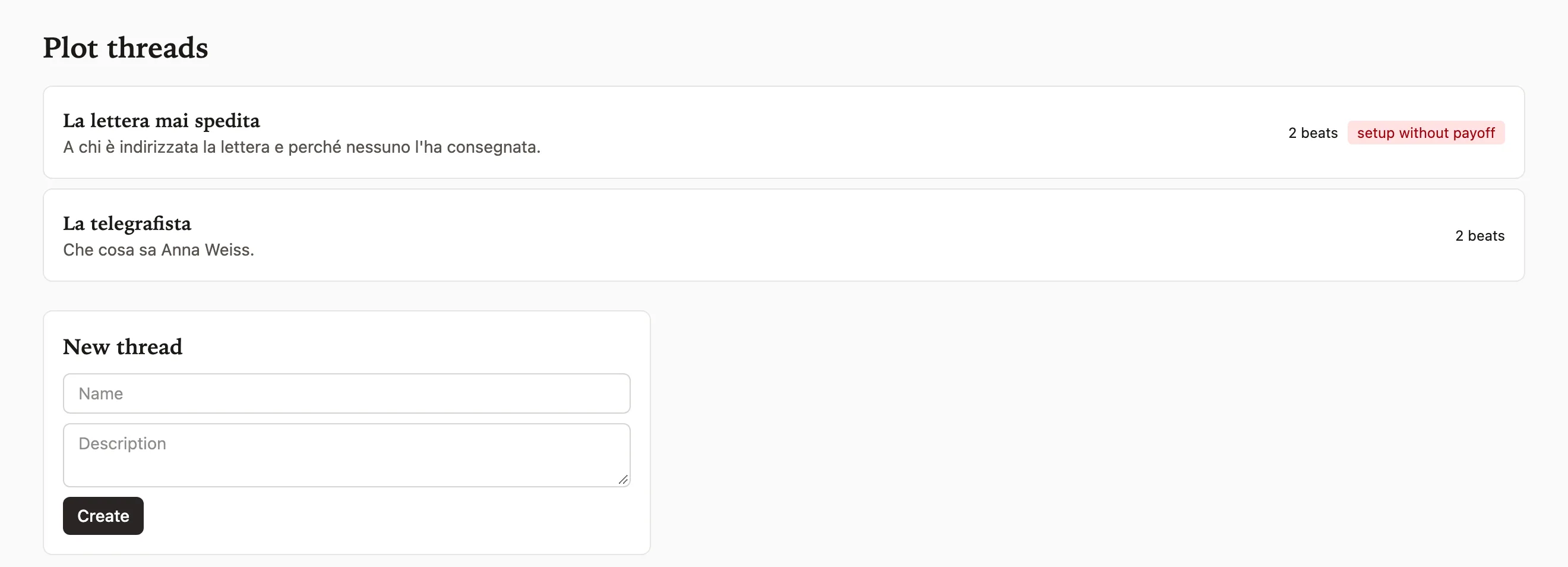
A plot thread is a series of beats linked to sections, and each beat is a setup or a payoff. Scribenda flags threads that have a setup and no payoff. In a mystery this is the chain of clues; in the real case behind the app it was rebuilt by hand in a separate file.
Continuity
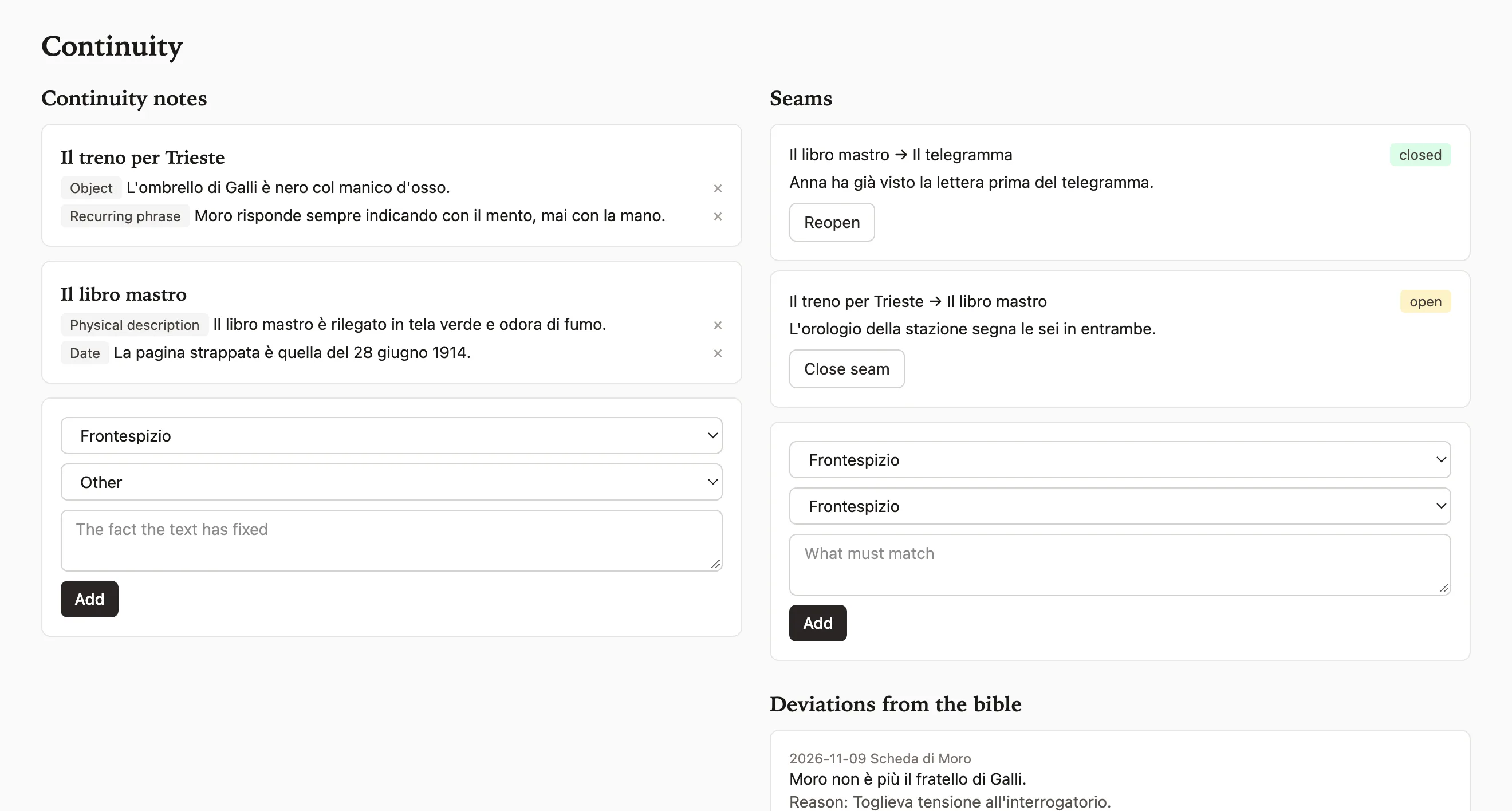
Continuity notes record the facts the text has fixed and later sections must respect, grouped by type (objects, recurring phrases, physical descriptions, dates). While you write a chapter, the side panel shows the notes from the sections before it.
A seam is a point where two sections must match, for example the time on a clock in two distant scenes. It has a starting section, an ending section and an open or closed status. Open seams show up on the progress page.
Deviations are decisions taken along the way that contradict the bible, with date and reason. They stay written, so six months from now you will know why a character is no longer someone's brother.
Revision
A revision pass has a name, a list of checks and a list of sections. For each section you record findings and the fixes made. At the end Scribenda produces a report in markdown.
Comments are anchored to a passage of the text and the link takes you to that passage. You reply and close the comment when the problem is solved.
The editor does not write on your text. They suggest an edit, which you see as a word-by-word diff, and you accept or reject it. An accepted suggestion becomes a new version.
Research
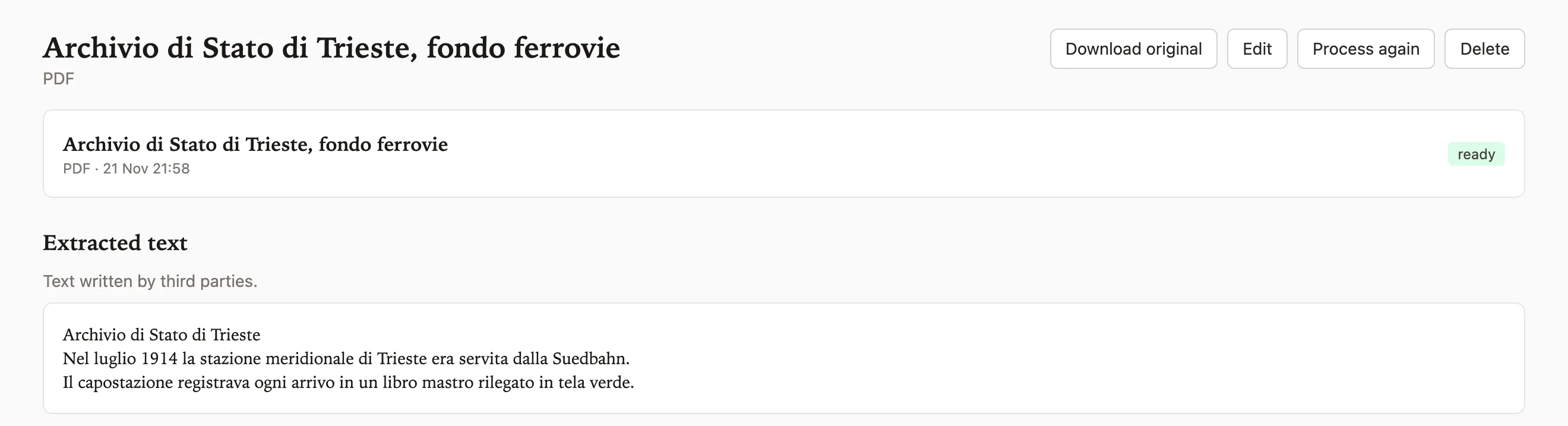
Each book has a research archive organized in folders. It accepts PDF, DOCX, markdown, plain text, images, web addresses and notes written inside the app.
For every document a background process extracts the text, splits it into passages and indexes it for semantic and full-text search. The processing status sits next to the document, with any error.
A web page is downloaded once and kept as a copy, so the text you cited stays the same even if the site changes.
Sources
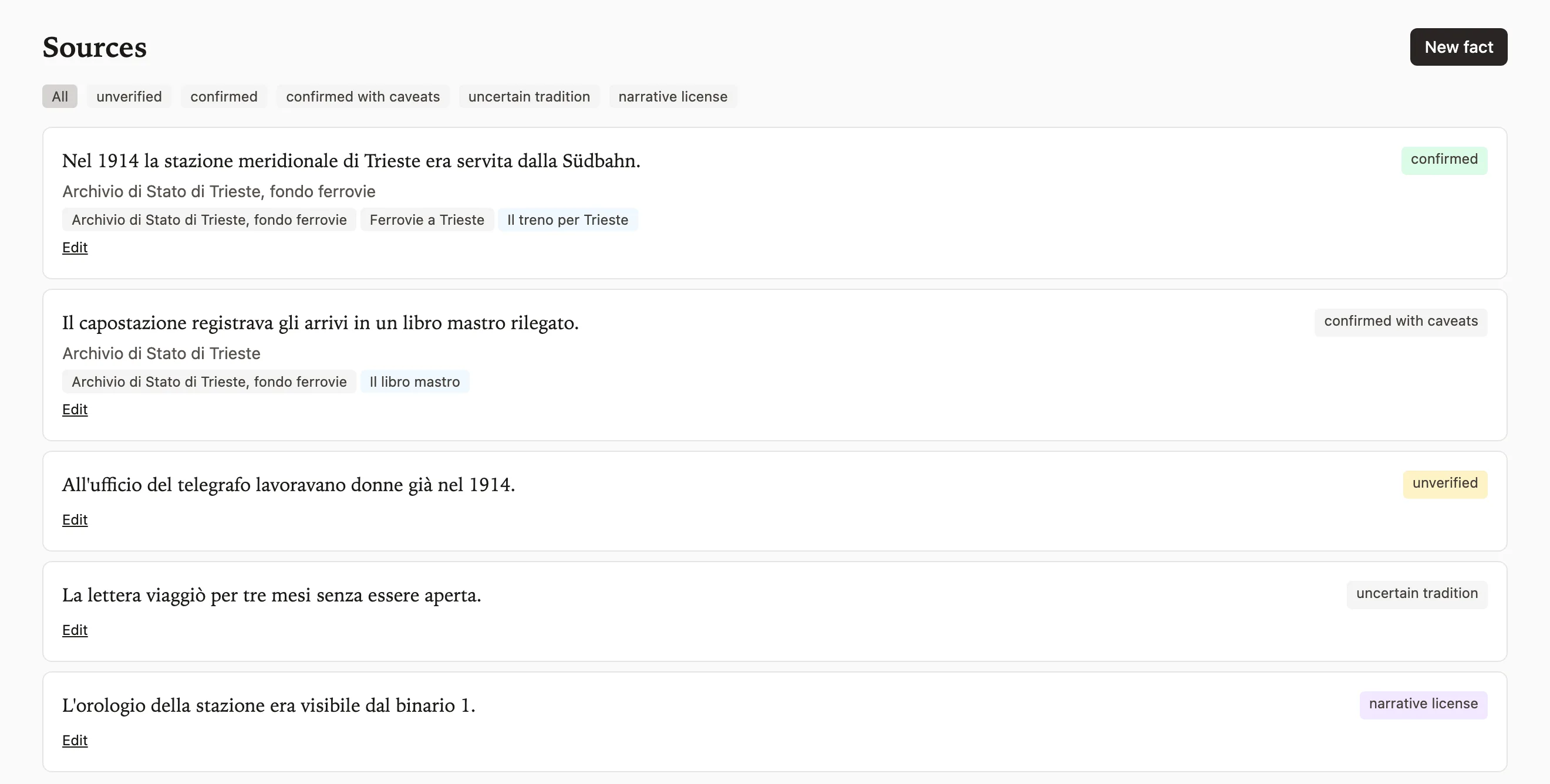
Each fact has a statement, source citations, linked research documents and the sections that use it. Its status is one of five, from "unverified" to "narrative license".
Narrative license is the case where you know you are departing from the record and say so. The novel behind Scribenda had 26 verified historical facts in a hand-kept list; here each one knows which document it comes from and which chapter uses it.
Chat with the book
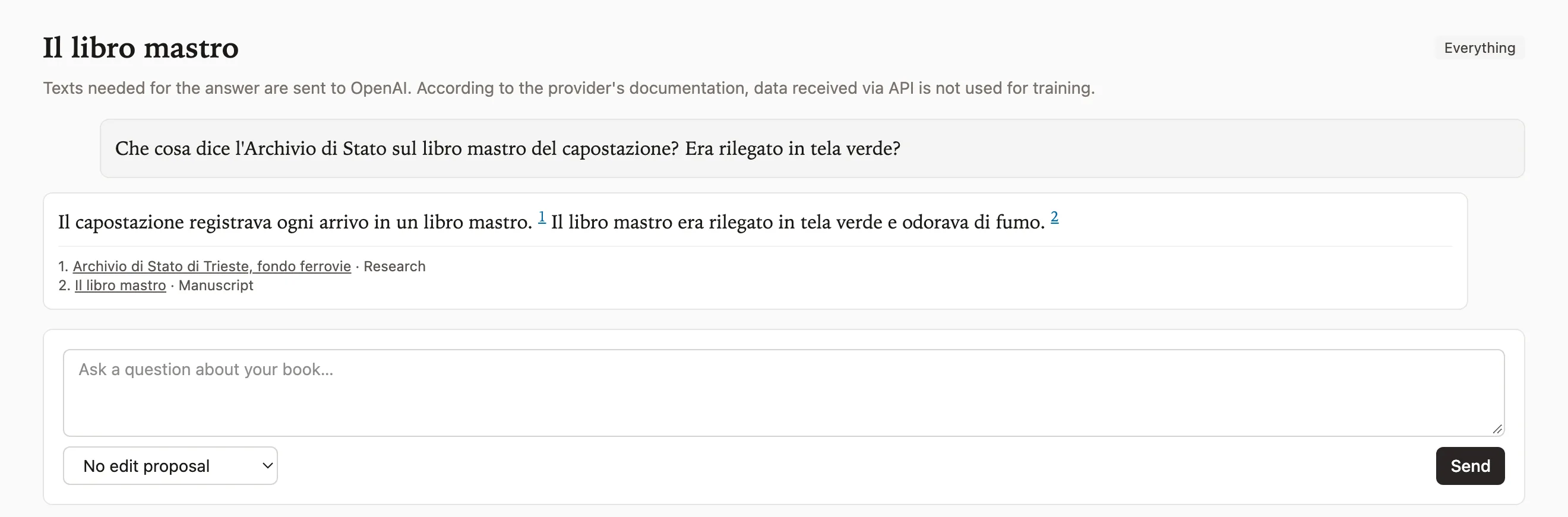
Open a conversation inside the book and choose what to ask about (manuscript, bible, notes, research, or everything). The answer arrives while it is being written.
Every statement in the answer carries a citation number. The number opens the section or document at the exact point it comes from. If the book material does not contain the answer, the chat says so instead of making one up.
You can ask the chat to rewrite a section or a card. The result comes as a suggested edit, with the diff from the current text, and becomes a version only if you accept it.
Progress
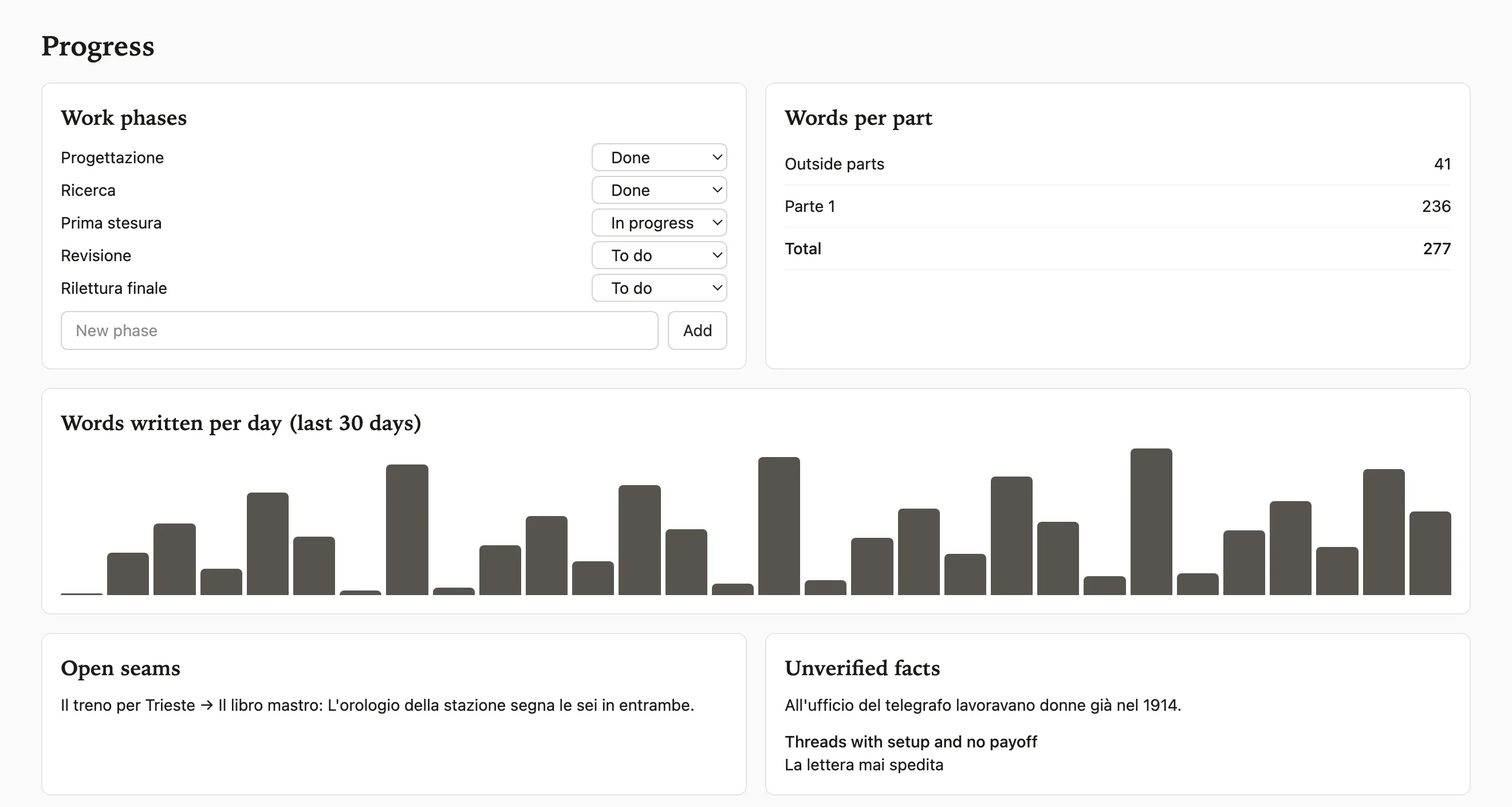
One page per book shows the work phases with their status and the word count, per part and per day over the last month.
On the same page you find the seams still open and the unverified facts. If a plot thread has a setup with no payoff, it shows up there.
Import and export
If the book already exists as a folder of markdown files, a zip archive or a DOCX, Scribenda reads the files and proposes which section each one goes to, based on names and titles. You correct the proposal and confirm.
The volume exports to markdown, DOCX, EPUB and PDF, in tree order, with title page, dedication and end note. The whole book, with bible, notes, sources and research, downloads as a zip of markdown and original files. This download stays available on every plan, even after cancelling.
Do you use an AI agent? Read how to connect it to your book.
Try it free for 14 days